Multi-item methode
In the WMS app, you have the option to mark multiple items as picked at the same time. This is especially useful when you need to pick large quantities of the same product in one go.
Follow the instructions below to mark multiple items as picked simultaneously.
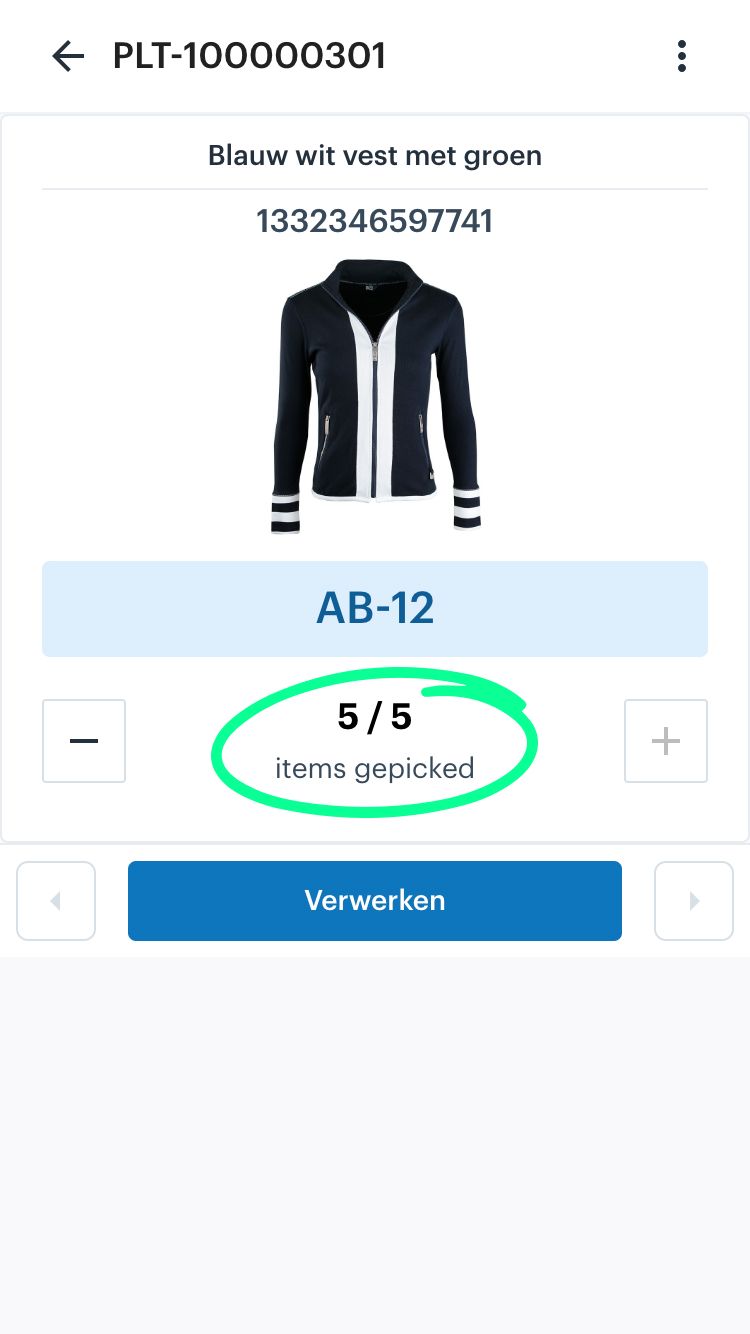
In the screenshot below, it shows that currently 0/5 items have been picked. You can scan the items one by one to reach 5/5. The option to mark all 5 items as picked at once is found by clicking on the quantity. Click on '0/5 items picked' (circled in the screenshot). This opens a new screen.


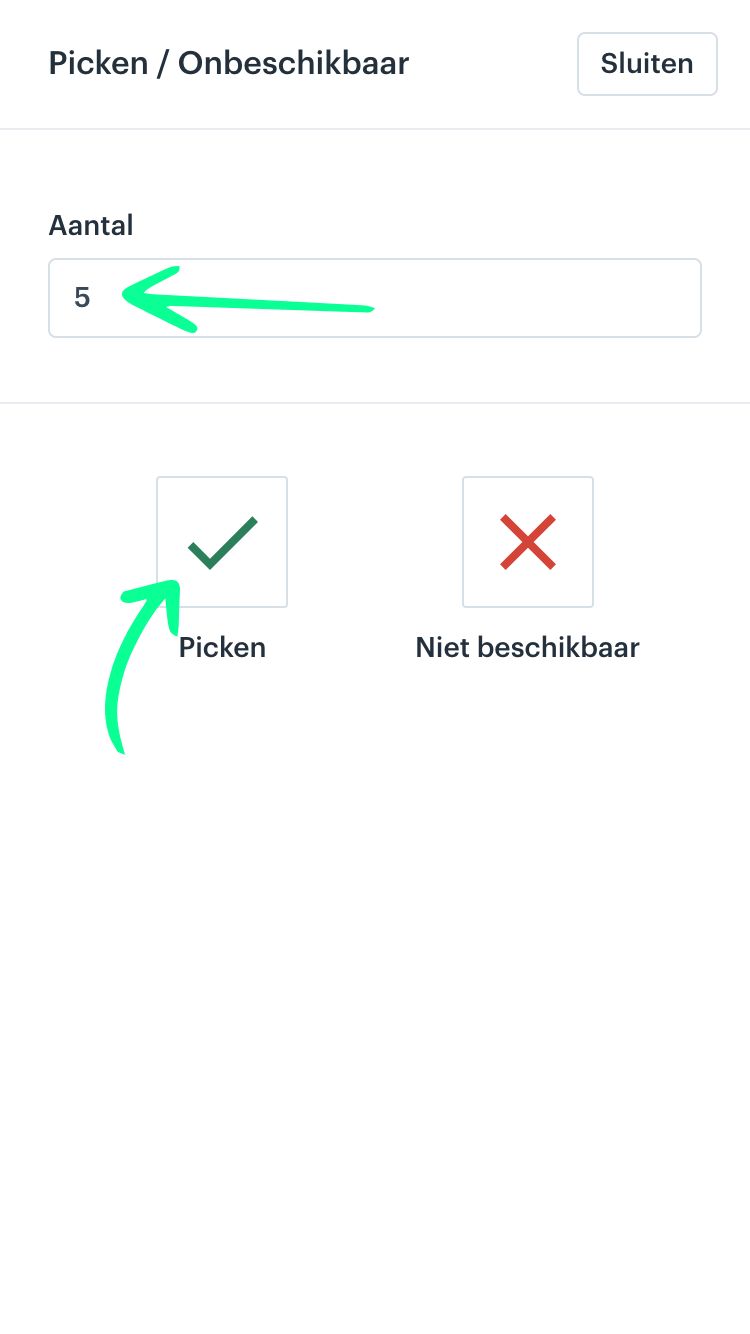
After clicking on the quantity in the previous screen, the following screen will open. Here you need to do two things:
- Enter the number of items you want to pick at once. By default, this is set to the maximum number required.
- Click ‘Pick’.
Once you click Pick, you will see in the screen below that all 5/5 items have been picked at once. You can now continue picking the next product.